HubSpot Setup Guide
Everything you need to connect SecretLeads to HubSpot.
Introduction
Welcome to SecretLeads! This guide will walk you through the simple steps to connect our AI-powered lead generation tool to your HubSpot portal. In just a few minutes, you'll be ready to turn your Ideal Customer Profile descriptions into a pipeline of high-quality, KVK-verified leads.
Before You Begin: Prerequisites
- A HubSpot Account: Your account must have a subscription to Sales Hub or Marketing Hub (any version from Starter to Enterprise).
- Admin Permissions: You must be a Super Admin or have "App Marketplace" permissions in your HubSpot account to install and authorize new applications.
Step 1: Installation and Authorization
- Start the Installation:
Click the "Install app" button on our HubSpot Marketplace listing or use the direct installation link provided to begin the process. - Choose Your HubSpot Account:
You will be redirected to HubSpot. If you are logged into multiple accounts, please select the HubSpot portal you wish to connect to SecretLeads. - Grant App Permissions:
HubSpot will show you a screen detailing the permissions SecretLeads requires. Click "Connect app" to approve.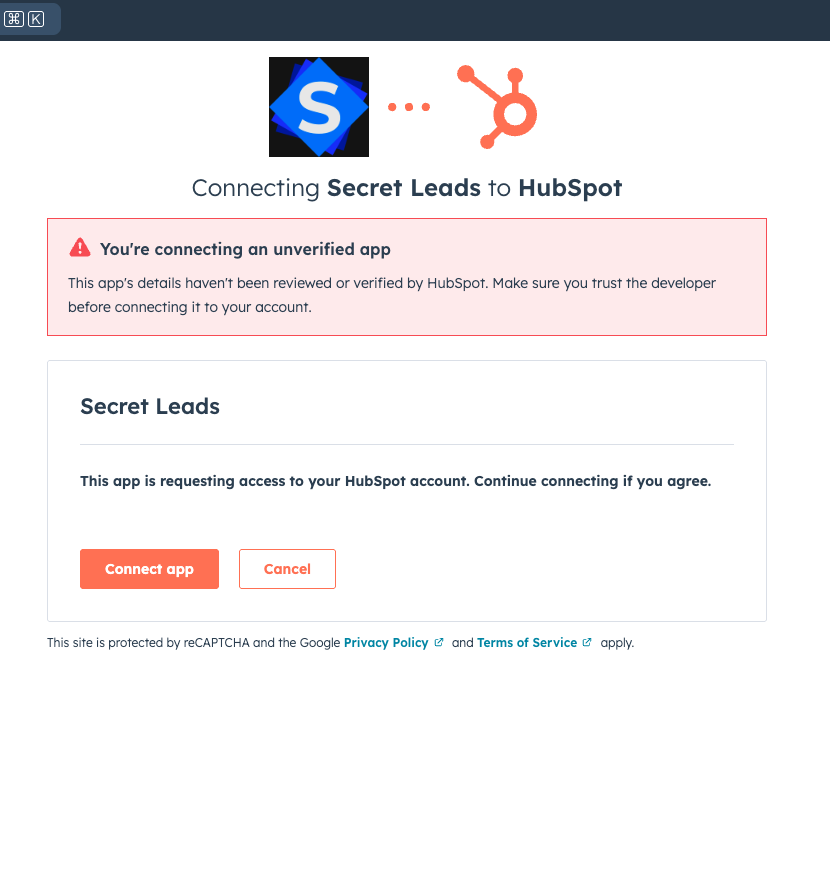
- Installation Confirmed:
You will be redirected back to a confirmation page on our website. You can now close that window and return to HubSpot.
Step 2: How to Use SecretLeads in HubSpot
- Navigate to the App:
In your HubSpot portal, go to the main navigation menu and click on Apps > SecretLeads.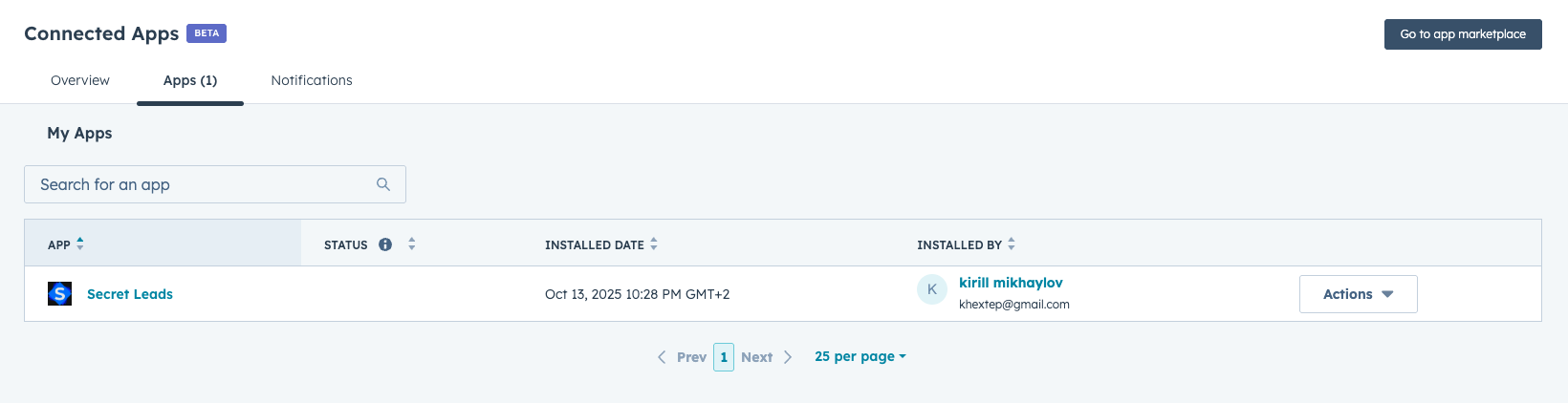
- Generate Your First Prospect:
In the "Ideal Customer Description" text area, type a simple description of the companies you're looking for and click "Fetch New Criteria".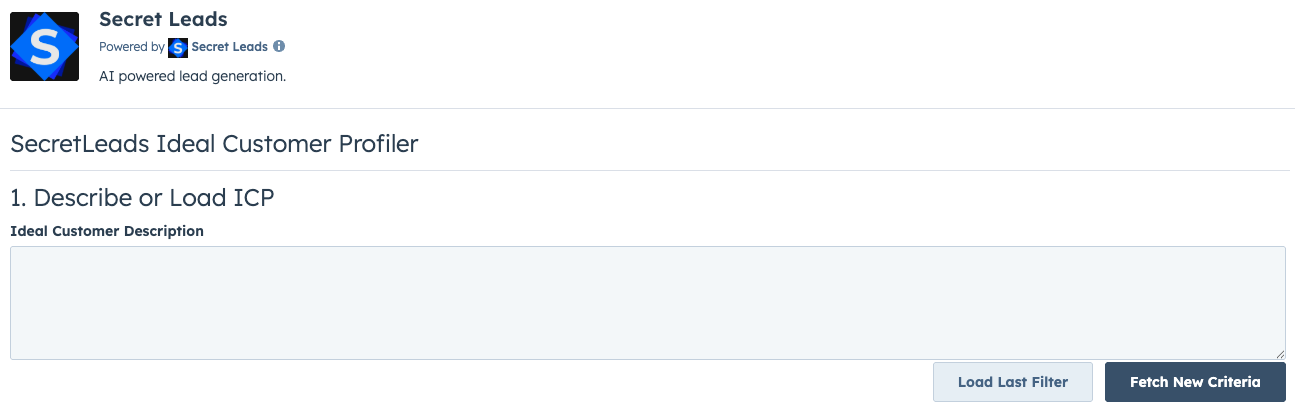
- Review and Create Companies:
Review the AI-suggested criteria and then click "Save and Generate" to create the new companies in your HubSpot portal. - Verify Your New Prospect:
Navigate to Contacts > Companies in your HubSpot account. You will see the newly created companies with rich, KVK-verified data.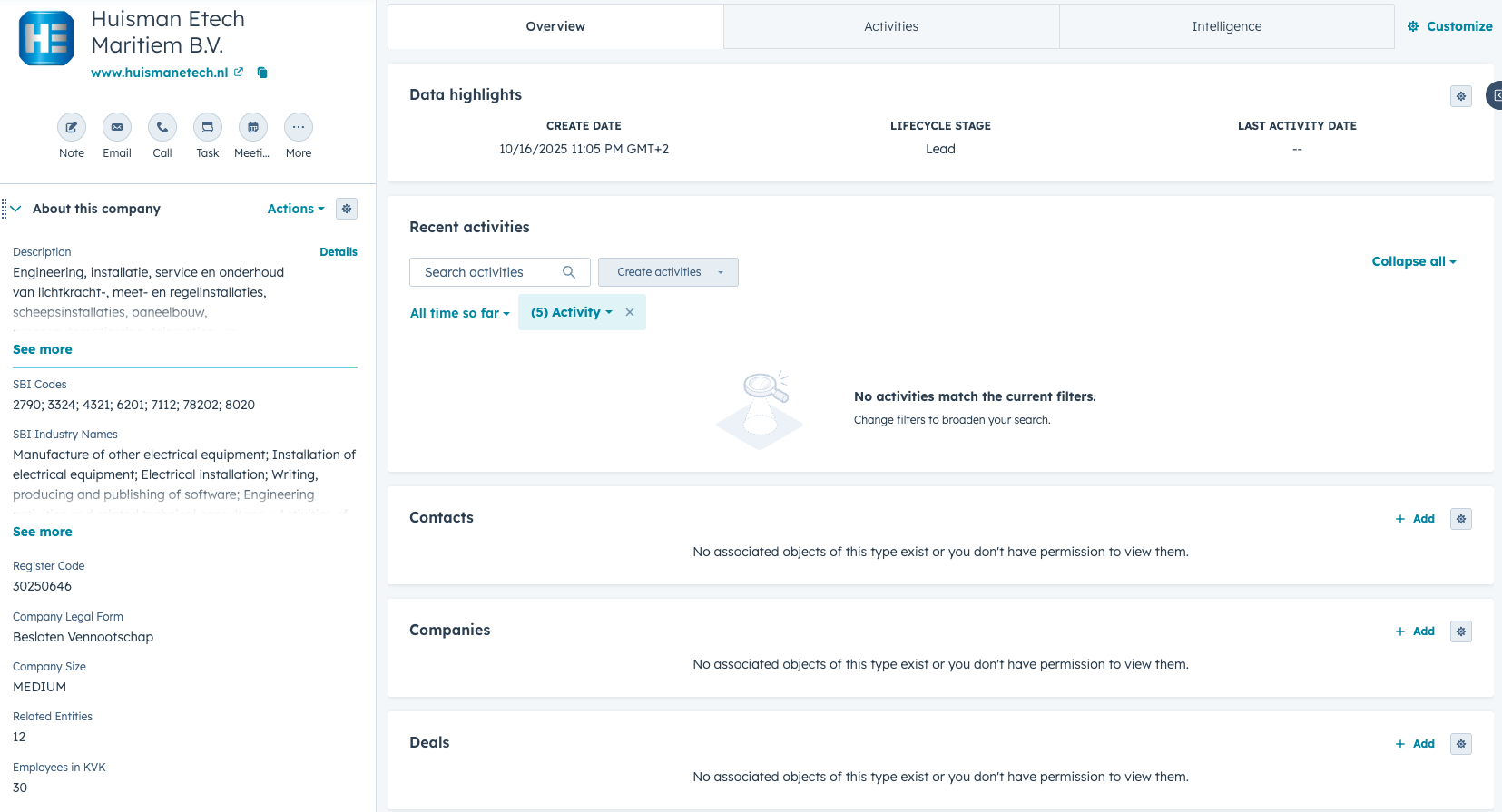
Need Help?
If you have any questions or run into any issues, please do not hesitate to reach out to our support team at info@mysecretleads.com.